1/20/2026
A Quick Experiment in Tracker Blocking
Of late, my living arrangements and travel schedule have made it difficult to keep my own server hardware online at home. As a result, I’ve been on the prowl for privacy-friendly, cloud-based alternatives to some of the services I normally self-host.
Not long ago, I switched from Pi-hole to NextDNS for my network-wide, DNS-based tracking, malware, and yes, ad blocking needs, and have been very satisfied. They have a generous free tier, and a paragon among privacy policies. The killer feature for me, though, has been the Tailscale integration, which was trivial to set up and provides blocking for my entire tailnet.
However:
The technique outlined in my last post, paired with a bargain bin VPS, has made self-hosting much closer at-hand, in spite of circumstances. Motivated by my perennial (if low-grade, in the case of NextDNS) distrust of third-party services, and having seen the name pop up here and there last time I had to troubleshoot my Pi-hole, I decided to take AdGuard Home for a spin.
Here’s the full Quadlet config, adapted from the Quick Start instructions for the Docker image:
# /etc/containers/systemd/adguard.container
[Container]
Image=docker.io/adguard/adguardhome:v0.107.71
PublishPort=53:53/tcp
PublishPort=53:53/udp
PublishPort=80:80/tcp
PublishPort=443:443/tcp
PublishPort=443:443/udp
PublishPort=3000:3000/tcp
PublishPort=853:853/tcp
PublishPort=853:853/udp
Volume=adguard:/opt/adguardhome/work
Volume=/opt/adguard/conf:/opt/adguardhome/conf:z

[Unit]
After=adguard.volume
Requires=adguard.volume
# /etc/containers/systemd/adguard.volume
[Volume]
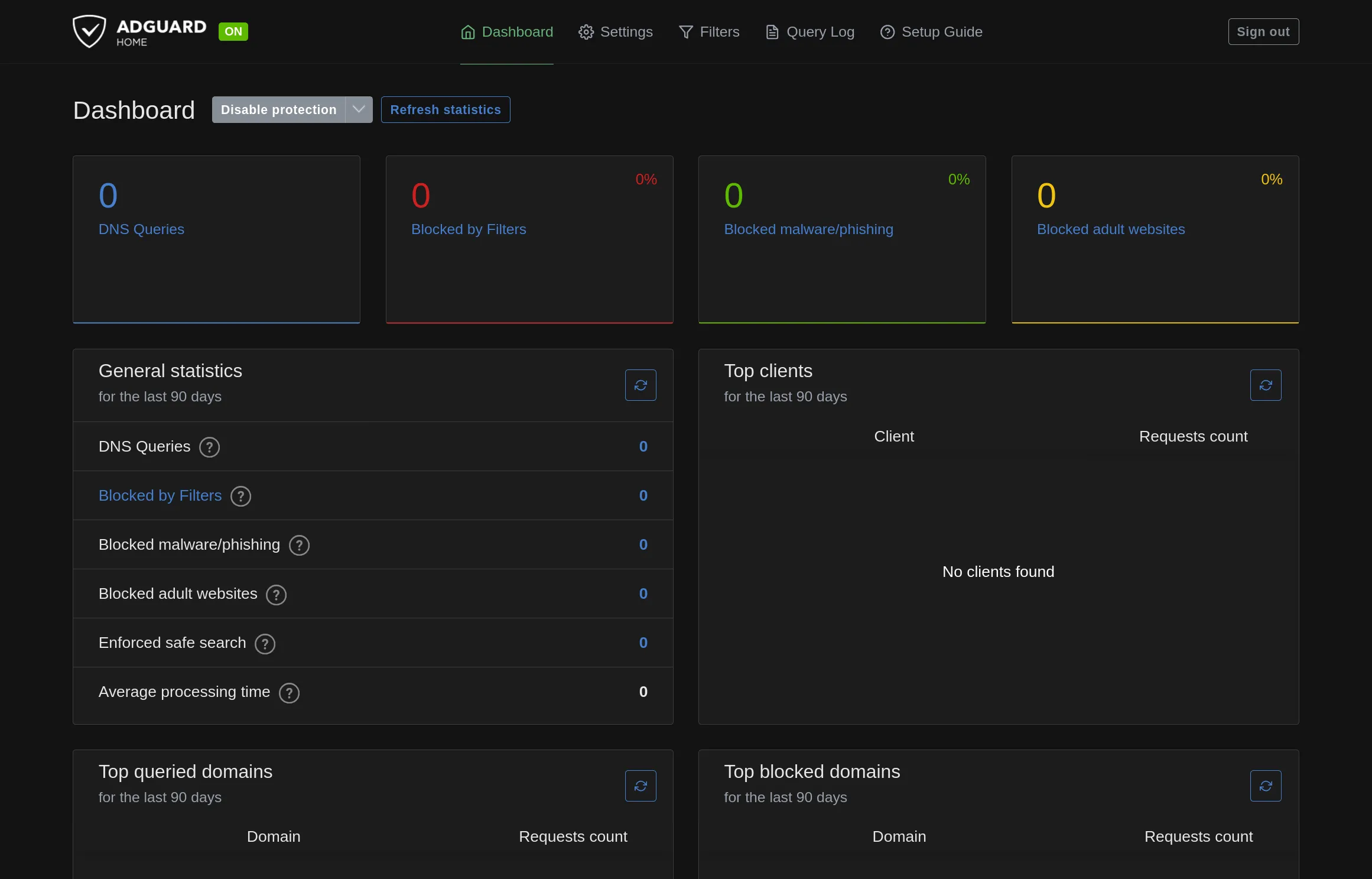
VolumeName=adguardI configured a Tailscale service pointing to the admin dashboard, walked through the setup wizard, and was presented with my very own AdGuard Home server:
The whole process of translating the Docker instructions into Quadlet config and
troubleshooting a couple startup issues and Tailscale config took maybe 5 minutes; not
bad at all. I was able to use tailscale cert to populate the Encryption
config, enabling DNS-over-HTTPS and DNS-over-QUIC (though I haven’t been
able to get “Redirect to HTTPS automatically” working; enabling it triggers a redirect
loop, I’m guessing some unfortunate interaction with the Tailscale service wrapper).
All in all, it was a great onboarding experience, and I’m glad to have AdGuard as an option.
However:
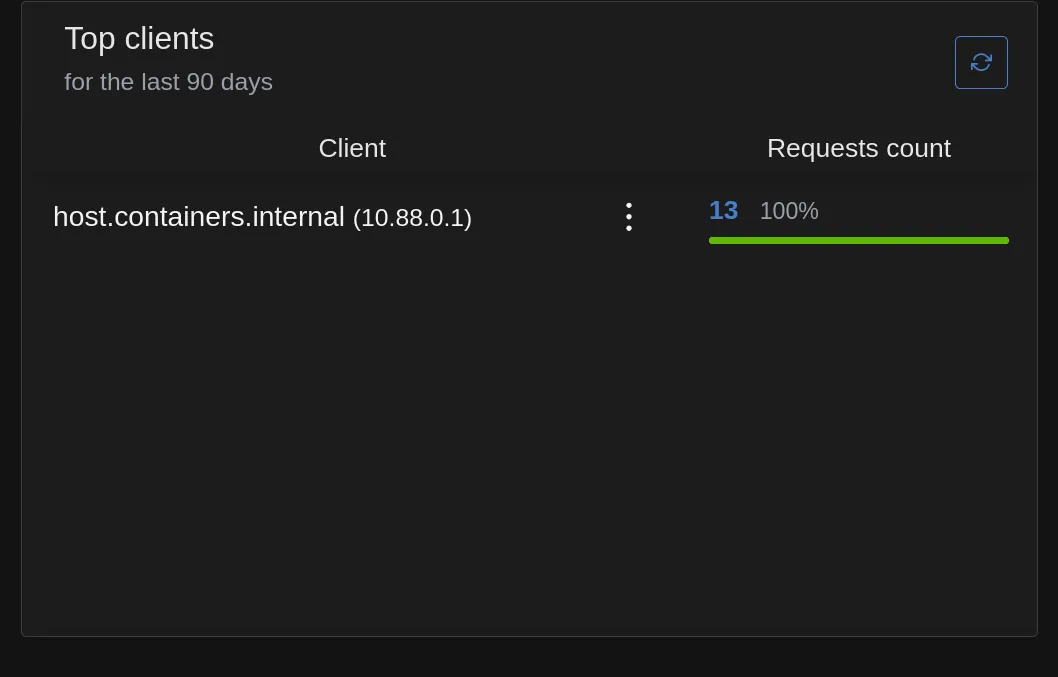
For the time being, I think I’m going to stick with NextDNS; the Tailscale integration is too cool to ignore. In particular, look at how client stats are reported by AdGuard:
vs. NextDNS:
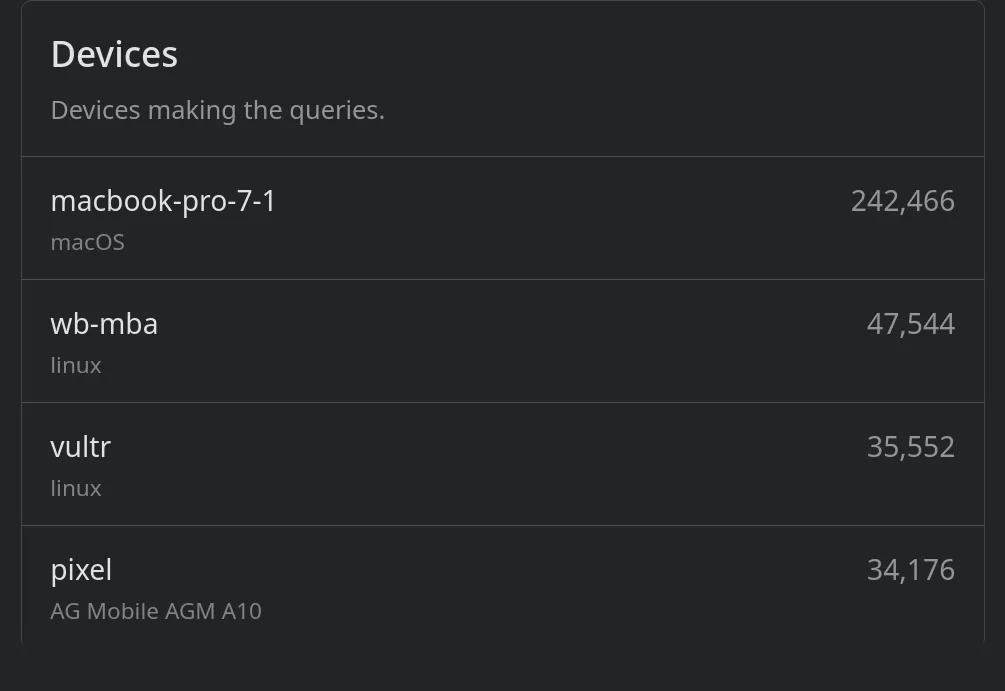
I like knowing the breakdown of DNS traffic volume by device. If there’s a way to teach AdGuard each client’s IP (or other metadata) so that everything isn’t rolled into the IP address of the Podman NIC, I haven’t found it yet.
Regardless of whether I can solve that nit, I’m grateful to be spoiled for choice of weapons in the arms race against online surveillance!
Previous: In praise of Quadlet + Rocky Linux